

Welcome to the world of 3D environment design! As the backbone of modern video game development, the importance of skilled environment artists cannot be overstated. They are responsible for bringing game worlds to life and immersing players in stunning and believable environments.
But what exactly does it take to become a 3D environment artist? What are the stages involved in creating these intricate digital worlds? And what software and tools are used by professionals in the industry? At Polydin Studio, we specialize in creating 3D environments, not just as an eye-catching background for games but rather as an endeavor to immerse our users and captivate them in the gaming experience. We work hand in hand with our clients to transform their vision into reality, delivering stunning landscapes and creating detailed, lifelike 3d environments. In this guide, we’ll explore everything you need to know about 3D environment design and provide some inspiring examples of this art form. So grab your notepad and get ready to dive in!
What is 3D Environment Design?
3D environment design is a crucial element in modern video game development. It’s a process of creating immersive virtual environments that the player can explore and interact with. This can include anything from natural landscapes and urban cityscapes to sci-fi spaceships and fantastical realms. Essentially, it’s the art of building virtual worlds that look and feel real enough to transport players to another world entirely.
As video games continue to evolve and become more complex, the demand for skilled 3D environment artists is on the rise. With stunning graphics and immersive environments becoming the norm, game developers must ensure their virtual worlds are as visually appealing and believable as possible. 3D environment design plays a huge role in achieving this, which is why it’s such a critical aspect of modern game development.
Read Also: Game art outsourcing
What are the Characteristics of 3D Environment?
The characteristics of a 3D environment refer to the distinctive qualities and elements that define the virtual space created through three-dimensional graphics and technology. These characteristics contribute to the realism, interactivity, and immersive experience within a 3D environment. Here are some key characteristics:
- Depth and Dimension: Unlike 2D environments, 3D environments provide depth and dimension, allowing objects and elements to have height, width, and depth. This creates a more realistic representation of the physical world.
- Realism and Detail: 3D environments strive to replicate real-world elements with a high level of detail. This includes realistic textures, lighting effects, shadows, and physics simulation, all aimed at creating a visually convincing and immersive experience.
- Interactivity and Navigation: 3D environments often offer interactive elements and the ability to navigate and explore the virtual space. Users can move, interact with objects, and even manipulate the environment itself, providing a more engaging and interactive experience.
- Dynamic and Changing Environments: 3D environments can be designed to change dynamically, allowing for dynamic weather conditions, day-night cycles, and other environmental variations. This adds to the sense of realism and enhances the immersion within the virtual world.
- Spatial Audio: Alongside visual elements, 3D environments often incorporate spatial audio, which enhances the immersive experience by simulating sounds that originate from different directions and distances. This adds another layer of realism and enhances the overall sense of presence.
- Scale and Proportions: 3D environments can accurately depict scale and proportions, allowing for the creation of vast landscapes, architectural structures, or miniature settings. This provides opportunities for diverse and imaginative world-building.
- Integration of Interactive Objects and Characters: In a 3D environment, objects, 3d character design, and other elements can be seamlessly integrated and interact with each other. This allows for dynamic storytelling, gameplay mechanics, and realistic interactions between virtual entities.
These characteristics collectively contribute to creating immersive, visually appealing, and interactive 3D environments in various applications such as video games, virtual reality experiences, architectural visualization, and simulations.
Process of Designing a 3D Environment
Designing a 3D environment is a meticulous process that involves several key steps to bring virtual spaces to life. From concept development to optimization, each stage contributes to creating visually captivating and immersive environments.
The process begins with concept development, where ideas are brainstormed, rough concepts are sketched, and references are gathered to establish the desired look and feel of the environment. This phase helps define the visual style, theme, and mood.
Once the concept is established, a detailed 3D model of the environment is created using specialized software like Autodesk Maya or Blender. This model includes elements such as terrain, buildings, and props, forming the foundation of the virtual space.
Texturing and shading breathe life into the 3D model, as textures and materials are applied to surfaces, enhancing their realism and visual quality. Lighting design is another crucial aspect, as strategic placement of light sources, adjustments in intensity and color, and the creation of shadows add depth and atmosphere.
To enhance the environment’s realism and interactivity, dynamic effects such as particle effects and interactive elements are incorporated. These effects add movement, life, and immersion to the virtual world.
Optimization is the final step, ensuring the environment runs smoothly and efficiently on various platforms and devices. Polygon count reduction, texture optimization, and fine-tuning of lighting and effects strike a balance between visual quality and performance.
Throughout the process, collaboration between artists, designers, and technical experts is essential to realize the artistic vision and technical implementation. With attention to detail and a combination of artistic creativity and technical expertise, captivating and believable 3D environments are brought to fruition.
Designing a 3D environment is a fascinating journey that allows for the creation of immersive and visually stunning virtual worlds, whether for video games, virtual reality experiences, or architectural visualizations. By following a systematic approach and embracing the iterative nature of the design process, designers can create captivating environments that leave a lasting impression on viewers.
The Main Task of 3D Environment Artists
The main task of a 3D environment artist is to create immersive and believable virtual environments that enhance the player’s experience. They work closely with other game development team members, including level designers and art directors, to bring the game world to life. The process involves various stages, from concept art to 3D modeling and texturing. It requires a combination of technical skills, artistic vision, and an understanding of game design principles.
How 3D Environments in Video Games are Made?
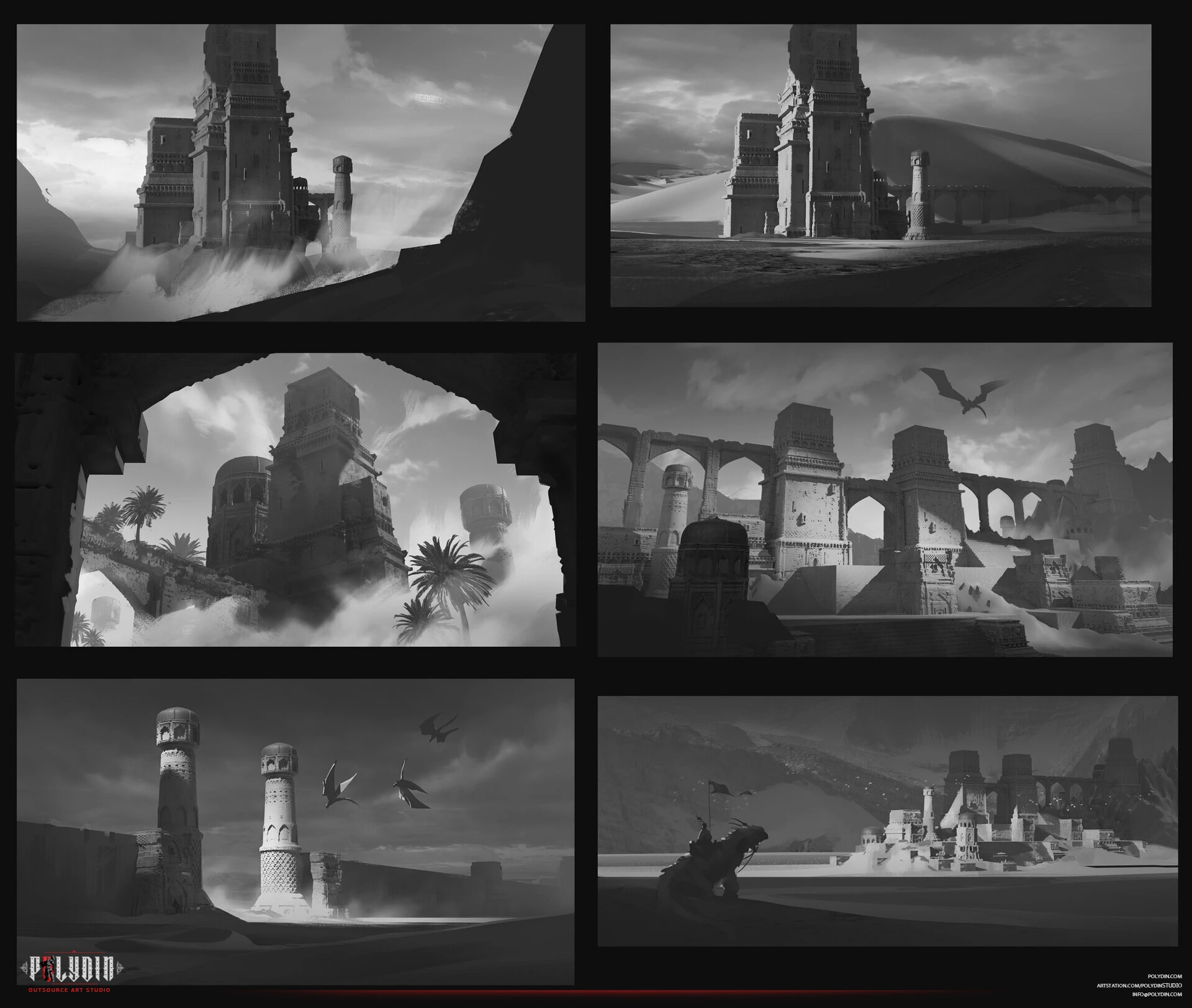
Creating 3D environments in video games involves a complex process requiring high skill and attention to detail. The process begins with the concept phase, in which the game designers and artists collaborate to create a visual concept for the environment. This may include sketches, storyboards, and mood boards to help define the look and feel of the environment.
Once the concept is approved, the 3D environment artist creates a rough block-out of the environment using basic geometry shapes. This allows the artist to experiment with the layout of the environment and make any necessary changes before moving on to the next stage.
The next stage is the creation of high-resolution models for the environment, which includes modeling objects, textures, lighting, and materials. This requires great technical skill and attention to detail, as each element must be carefully crafted to create a cohesive and believable environment.
After the high-resolution models are complete, the 3D environment artist will optimize them for use in the game engine. This involves reducing the number of polygons in the models to improve performance and create a smooth gameplay experience.
The final stage is integrating the environment into the game engine, which includes setting up lighting, textures, and special effects to bring the environment to life. This iterative process requires constant testing and tweaking to ensure that the environment looks and performs as intended.
What Software is Needed for 3D Environment Design?
Creating 3D environments requires a specific set of tools and software, and the choice of software can greatly impact the quality and efficiency of the design process. While there are a variety of software options available, some are better suited to specific tasks and workflows.
Autodesk Maya is one of the most popular 3D modeling and animation software used in the industry. It is known for its versatility and is widely used for creating complex 3D models, character animations, and detailed environments. Maya’s advanced toolset includes features like modeling, texturing, lighting, rigging, and animation, making it a go-to choice for many 3D environment artists.
Another popular software for 3D environment design is Maxon Cinema 4D. While Cinema 4D is also a full-featured 3D modeling and animation software, it is often preferred by motion graphics artists and designers due to its intuitive interface and ease of use. It features tools for modeling, texturing, lighting, and animation, as well as motion graphics-specific tools like MoGraph, enabling artists to create complex animations quickly.
Other popular software options for 3D environment design include Blender, Unity, Unreal Engine, and Houdini. Each software has its unique features, strengths, and weaknesses, so the choice of software ultimately depends on the artist’s specific needs and preferences.
It is also worth noting that hardware plays an important role in 3D environment design. High-performance graphics cards, processors, and sufficient RAM are essential for working with large and complex scenes. Therefore, investing in quality hardware is just as important as selecting the right software.
Examples of 3D Environment
When it comes to 3D environments in video games, there are countless examples of stunning and immersive virtual worlds. From sprawling open worlds to confined spaces, game developers have the ability to transport players to all sorts of imaginative locations. Here are just a few examples of memorable 3D environments in gaming:
- The Elder Scrolls V: Skyrim – The game’s open world is vast and varied, filled with towering mountains, dark forests, and bustling cities. The level of detail in each environment is impressive, from the way the sunlight filters through the trees to the snowdrifts that gradually accumulate on the ground.
- The Legend of Zelda: Breath of the Wild – The game’s open world is a masterpiece of 3D environment design, with a seamless blend of natural landscapes and ancient ruins. Every corner of the world is filled with secrets to discover, whether it’s a hidden shrine or a stunning vista overlooking the horizon.
- Half-Life: Alyx – This VR title features some of any video game’s most immersive and detailed environments. From the dilapidated apartments of City 17 to the alien-infested wastelands beyond, every location feels like a real place that has been lived in and abandoned.
- Horizon Zero Dawn – Set in a post-apocalyptic world where robotic creatures roam the land, Horizon Zero Dawn’s 3D environments are both beautiful and dangerous. From the towering ruins of the Old Ones to the sprawling grasslands of the game’s open world, every environment is meticulously crafted and full of character.
- The Witcher 3: Wild Hunt – The game’s vast open world is a masterpiece of 3D environment design, with a range of different landscapes that reflect the game’s various regions. From the winding streets of Novigrad to the rolling hills of Velen, the world of The Witcher 3 is rich in detail and atmosphere.
The Challenges of Designing 3D Environments
Designing 3D environments for video games can be a complex and challenging process. While advancements in technology have made it easier to create highly detailed and realistic environments, there are still a number of challenges that 3D environment artists face.
One of the biggest challenges is ensuring the environment is aesthetically pleasing and functional. A game environment needs to look good and be designed to allow the player to easily navigate and interact with it. This can require great planning and careful consideration of factors such as lighting, texture, and terrain.
Another challenge is the amount of time and resources required to create a 3D environment. Creating highly detailed environments can be a time-consuming and resource-intensive process. This can be especially challenging for smaller game development studios that may have limited budgets and manpower.
Another problem is technical limitations. Creating complex environments can be limited by the technical capabilities of the game engine or hardware. High-detail environments can cause performance issues such as long loading times, low frame rates, or crashes. Balancing visual quality with technical limitations is a challenge that environment artists face.
A subtle problem 3D environment artists might face is consistency. The environment should look and feel consistent with the game’s overall style, theme, and setting. Maintaining this consistency can be a challenge when designing complex environments with multiple elements and details. Even small deviations from the established style or setting can break the immersion of the player and negatively impact their experience.
Finally, 3D environment artists must also be able to work effectively as part of a team. Game development is a collaborative process, and environment artists must be able to communicate effectively with other team members, such as game designers and programmers, to ensure that the environment meets the game’s requirements and functions properly.
3D Environment Design in Polydin
Polydin Studios is a leading game development and outsourcing company with a talented team of environment and level art designers who are passionate about creating immersive game worlds. Our designers work closely with clients throughout the development process to ensure that their vision is brought to life with stunning visuals and attention to detail.
We pride ourselves on our ability to listen to and incorporate feedback, resulting in designs that exceed expectations. With our expertise and dedication, we are committed to delivering high-quality 3D environments and level designs that transport players to new worlds and engage them in unforgettable gaming experiences.
Read Also: 3D Art Production
The Essential Tools and Software Used by 3D Environment Artists
To bring their creative visions to life, 3D environment artists rely on a variety of tools and software tailored to their specific needs. Industry-standard software such as Autodesk Maya, Blender, and 3ds Max are commonly used for modeling, texturing, and animation tasks.
These tools provide robust features for sculpting organic shapes, creating detailed textures, and animating objects within the environment. Additionally, specialized software like Substance Painter and Quixel Mixer are invaluable for generating realistic materials and textures that enhance the visual fidelity of the environment. Furthermore, rendering engines like Unreal Engine and Unity enable artists to showcase their creations in real-time, allowing for interactive experiences and dynamic lighting effects. By leveraging these tools and software, 3D environment artists can unleash their creativity and craft stunning virtual worlds that captivate audiences.
Fundamentals of Unity Environment Design
Creating environments in Unity involves several key fundamentals to ensure that the game world is immersive, visually appealing, and optimized for performance. Here are some essential aspects to consider when designing environments in Unity:
- Scene Composition: Plan the layout and composition of your environment, considering factors such as the scale of objects, the placement of landmarks, and the flow of gameplay. Use Unity’s Scene view to arrange objects, set up camera angles, and establish the overall layout of the scene.
- Modular Design: Utilize modular assets and prefabs to build environments efficiently. Break down larger environments into reusable modules, such as walls, floors, and props, that can be assembled and combined to create diverse and dynamic spaces.
- Terrain and Landscape: Use Unity’s terrain tools to sculpt and paint the terrain, creating hills, valleys, and other natural features. Incorporate textures, foliage, and terrain assets to add detail and realism to the landscape.
- Lighting and Shadows: Experiment with Unity’s lighting system to achieve realistic lighting and shadow effects. Use directional lights, point lights, and spotlights to illuminate the environment, and adjust settings such as intensity, color, and attenuation to create mood and atmosphere.
- Materials and Shaders: Apply materials and shaders to objects in the environment to control their appearance and behavior. Use Unity’s built-in shaders or create custom shaders to achieve specific visual effects, such as reflections, transparency, and emissive surfaces.
- Particle Systems: Enhance the environment with particle systems to simulate effects such as fire, smoke, water, and weather. Use Unity’s particle system tools to create and customize particle effects that add dynamism and immersion to the scene.
- Optimization: Optimize the environment for performance by reducing the number of draw calls, optimizing textures and materials, and implementing occlusion culling and LOD (Level of Detail) systems. Use Unity’s profiling tools to identify and address performance bottlenecks in the environment.
- Audio Design: Incorporate audio elements into the environment to enhance immersion and atmosphere. Use Unity’s audio tools to add ambient sounds, environmental effects, and spatialized audio that responds to player actions and movement.
- Interactivity: Design the environment to be interactive and responsive to player actions. Implement interactive objects, physics simulations, and scripted events that allow players to interact with and explore the environment in meaningful ways.
- Testing and Iteration: Test the environment extensively to ensure that it meets gameplay requirements, performance targets, and visual standards. Gather feedback from playtesting sessions and iterate on the design to address any issues or shortcomings.
By focusing on these fundamentals of Unity environment design, developers can create engaging, immersive, and visually stunning environments that enhance the overall gameplay experience.
How to design an environment in unity?
Designing an environment in Unity involves a series of steps to plan, create, and refine the game world. Here’s a general overview of the process:
- Conceptualization: Start by defining the visual style, theme, and mood of the environment. Create concept art, mood boards, and reference images to establish the look and feel you want to achieve.
- Layout and Composition: Plan the layout of the environment, including the placement of terrain, buildings, props, and other assets. Use Unity’s Scene view to arrange objects and establish the overall composition of the scene.
- Terrain Creation: Use Unity’s terrain tools to sculpt the terrain and add natural features such as hills, valleys, and rivers. Paint textures and add foliage to enhance the realism and detail of the landscape.
- Asset Placement: Populate the environment with assets such as buildings, trees, rocks, and other props. Use modular assets and prefabs to assemble the environment efficiently and customize it to fit your design vision.
- Lighting and Atmosphere: Set up lighting to create mood, atmosphere, and visual interest in the environment. Experiment with different lighting techniques, such as directional lights, point lights, and ambient lighting, to achieve the desired effect.
- Materials and Shaders: Apply materials and shaders to objects in the environment to control their appearance and behavior. Use Unity’s material editor to adjust properties such as texture, color, transparency, and specular highlights.
- Particle Effects: Add particle effects to the environment to simulate effects such as fire, smoke, water, and weather. Use Unity’s particle system tools to create and customize particle effects that enhance immersion and visual appeal.
- Audio Design: Incorporate audio elements into the environment to enhance immersion and atmosphere. Use Unity’s audio tools to add ambient sounds, environmental effects, and spatialized audio that responds to player actions and movement.
- Testing and Optimization: Test the environment extensively to ensure that it meets performance targets and visual standards. Use Unity’s profiling tools to identify and address performance bottlenecks, and optimize the environment for smooth gameplay.
- Iteration and Feedback: Gather feedback from playtesting sessions and iterate on the environment design to address any issues or shortcomings. Continuously refine and polish the environment to create a compelling and immersive gameplay experience.
By following these steps and leveraging Unity’s powerful tools and features, developers can design environments that captivate players, enhance immersion, and contribute to the overall success of their games.
What is a key factor in designing a realistic 3D environment?
A key factor in designing a realistic 3D environment is achieving a strong sense of scale and proportion. Objects and structures within the environment need to be appropriately sized and positioned relative to one another to ensure they feel natural to the player.
This involves understanding how objects fit together in the real world and replicating that in a virtual space, along with using accurate lighting and textures to give objects depth and a lifelike appearance. Additionally, attention to lighting is critical, as it enhances realism by creating natural shadows, highlights, and reflections, contributing to the overall atmosphere of the scene.
What is the process of creating objects in a 3D environment?
The process of creating objects in a 3D environment typically follows several steps:
- Concept Art & Design: Before modeling begins, artists create sketches or digital art to define the object’s look and style.
- Modeling: Using 3D modeling software (e.g., Blender, Maya), artists create the object’s shape using polygons, adjusting the mesh to capture the desired form.
- Texturing: After modeling, textures (images or materials that give the surface detail) are applied. This step involves creating UV maps to align textures with the object.
- Rigging (for animated objects): If the object requires movement, rigging involves adding a skeleton to control it.
- Lighting & Shading: This step enhances the object’s realism by adjusting how it reacts to light in the 3D space.
- Rendering & Testing: Once everything is set, the object is rendered and tested within the 3D environment to ensure it integrates well and performs as expected.
This process ensures the object looks lifelike and functions smoothly in the virtual world.
Conclusion
By fusing technology and art, 3D environment designs create lifelike environments that fully immerse audiences in their virtual worlds. With the right set of abilities, resources, and methods, designers can produce wonderful, dynamic landscapes that improve storytelling while providing intuitive gaming experiences. As this field continues to evolve, so does the infinite possibilities.